
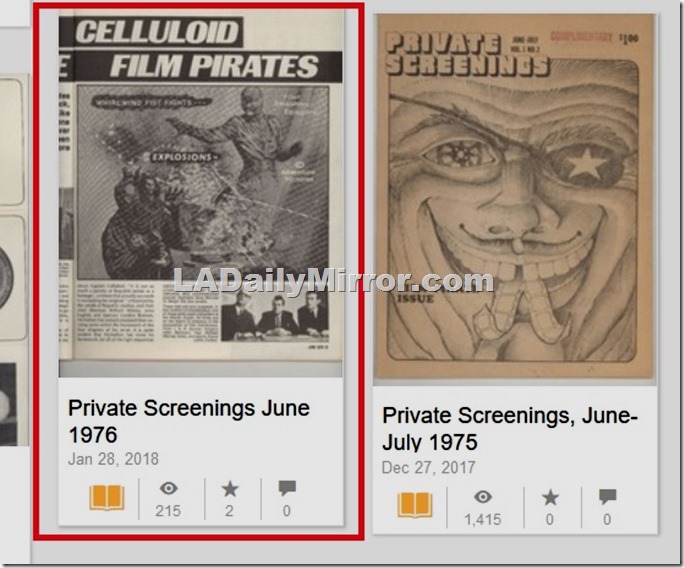
One of the annoyances of Archive.org is that thumbnails seem to be assigned randomly instead of properly displaying the cover. If you Google for instructions, you will find them needlessly complex. Here’s the nearly painless way to fix them. After you fix one or two, it will be easy. Almost so easy that a computer could do it.
In this example, we’re going to fix the thumbnail for the June 1976 issue of “Private Screenings.”
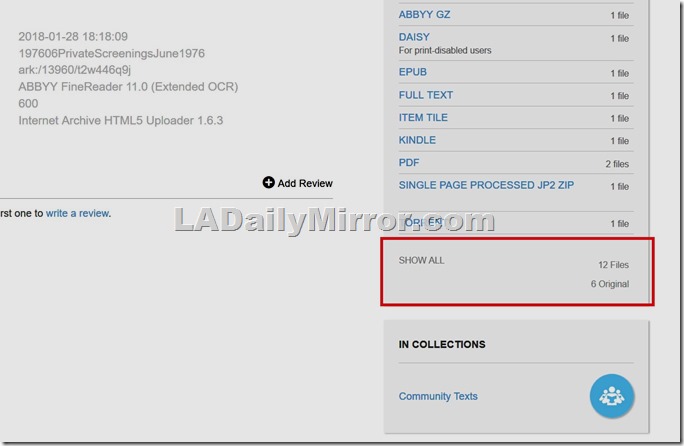
The first step is to get to the XML file that is causing the problem. Under the list of files, go to SHOW ALL.
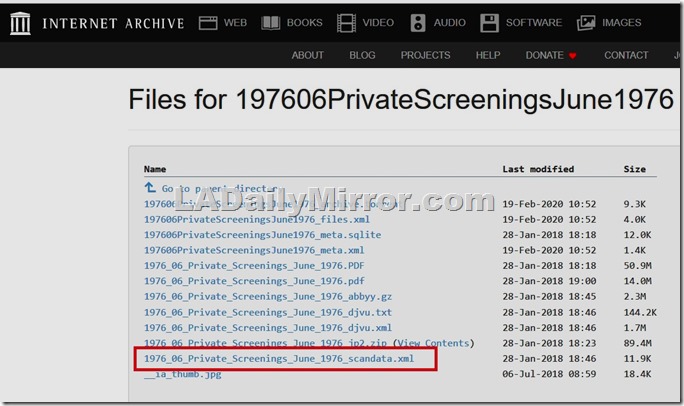
The file name will be whatever URL you have chosen for your file, ending in _scandata.xml.
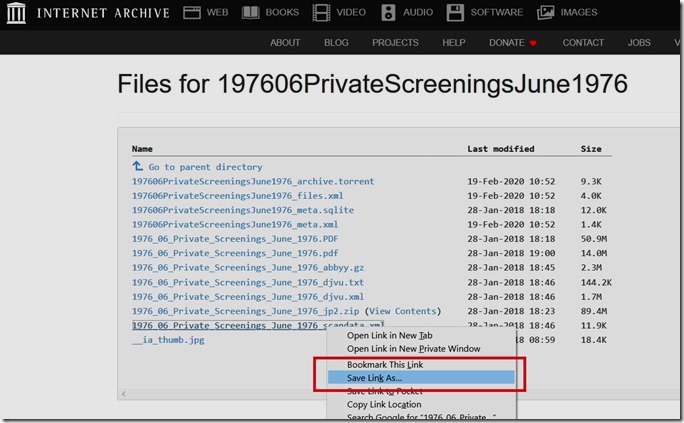
Right click on the file and save it, being sure to rename it from XXX_scandata.xml to something creative like Backup_XXX_scandata.xml. This is so you don’t lose your original in case bad things happen.
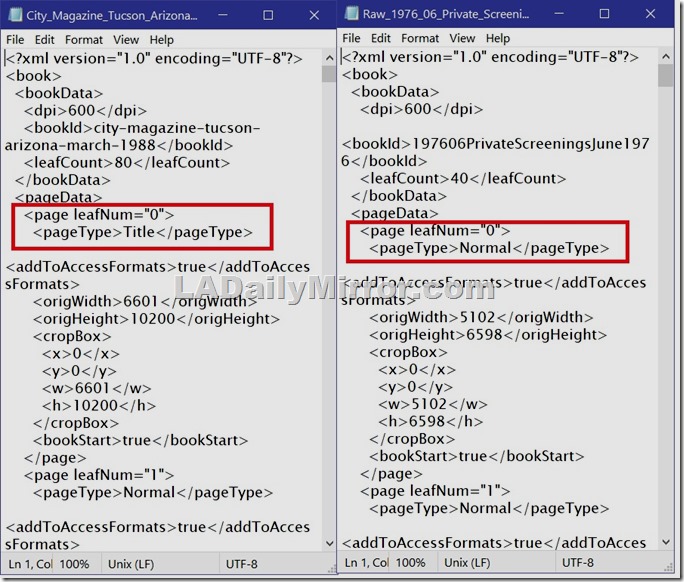
Open the file in Notepad. Don’t be scared by the coding. It’s easy.
Here is the first part of the problem. At left, a correctly formulated XML file, and at right, our problem child, which thinks that the cover (<page leafNum=”0″>) is <pagetype>Normal</pageType> when it should be <pageType>Title</pageType>.
Change the pageType to Title.
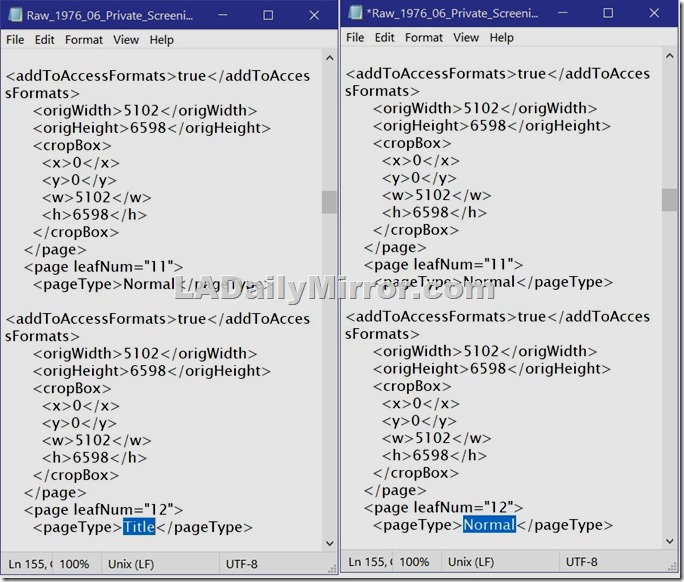
Next (and this is really important) you go down to where Archive has improperly assigned the Title page and change it to Normal. Otherwise the XML file will have two Title pages and that makes Archive.org sad.
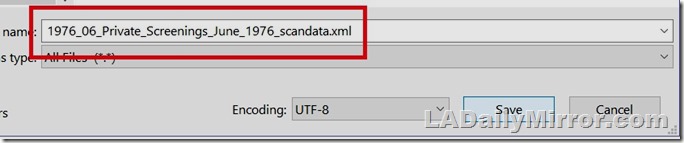
Save the file, being sure to rename it, deleting the Backup prefix. And if you’re using Notepad, be sure to save it as an XML and not Notepad’s default TXT.

Now navigate to this screen.
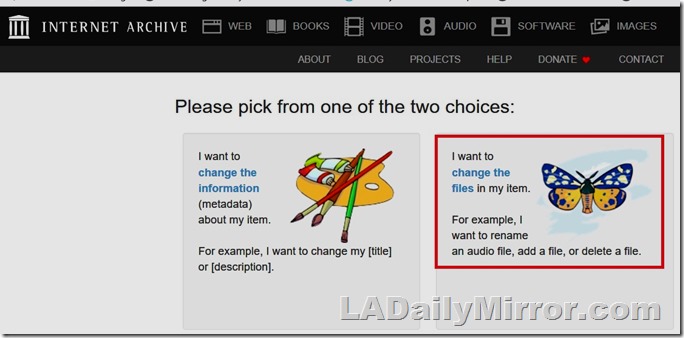
Click on Edit and select “change the files in my item.”
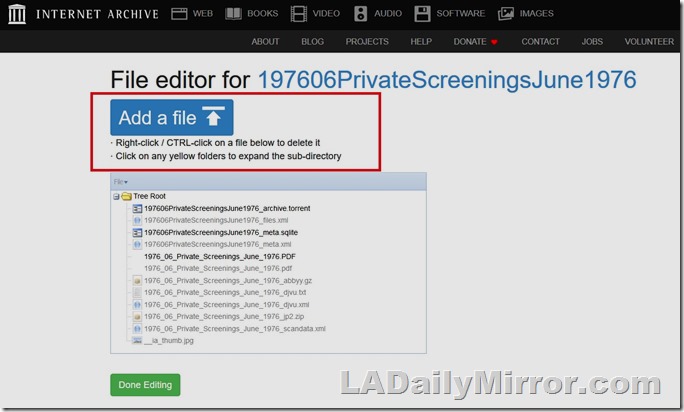
Click on “Add a file.” You can’t delete the bad XML or edit it online. All you need to do is upload the correct one and it will overwrite the bad one.
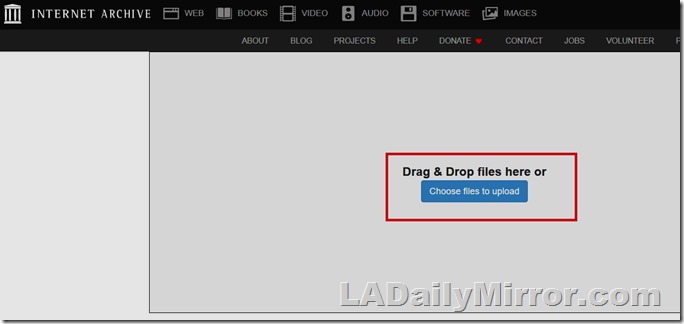
Go for it!
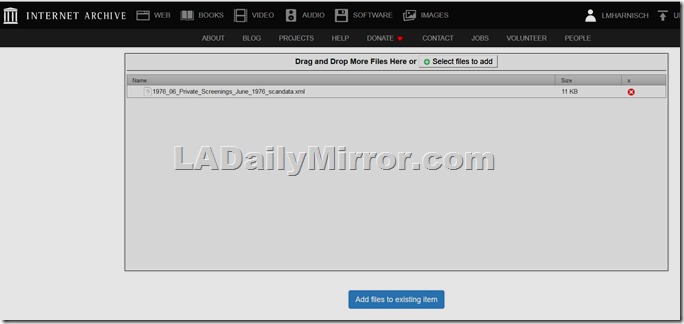
After uploading, click on Add files.
The Archive.org Gargantu-Brain will process the new XML file (this may take some time – be patient) and
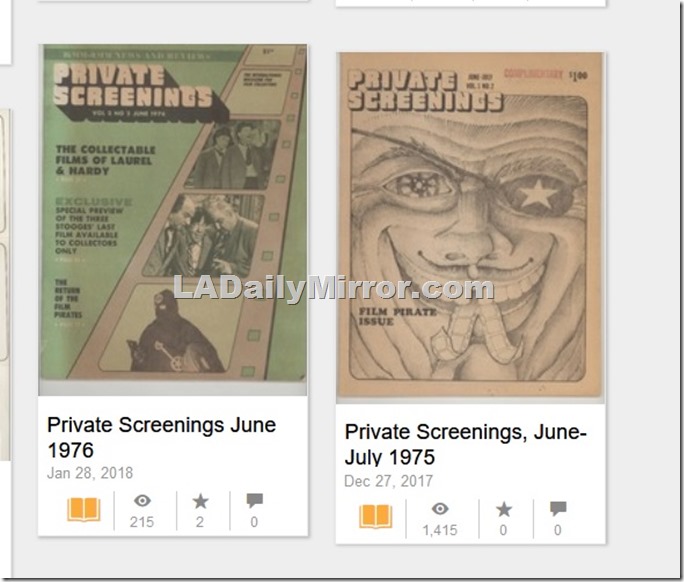
Voila! All fixed!

 ladailymirror.com
Tn Thank you.
LikeLike
Thanks, a ton!
LikeLike